Move Over Suno & Udio: Here Comes Producer.ai
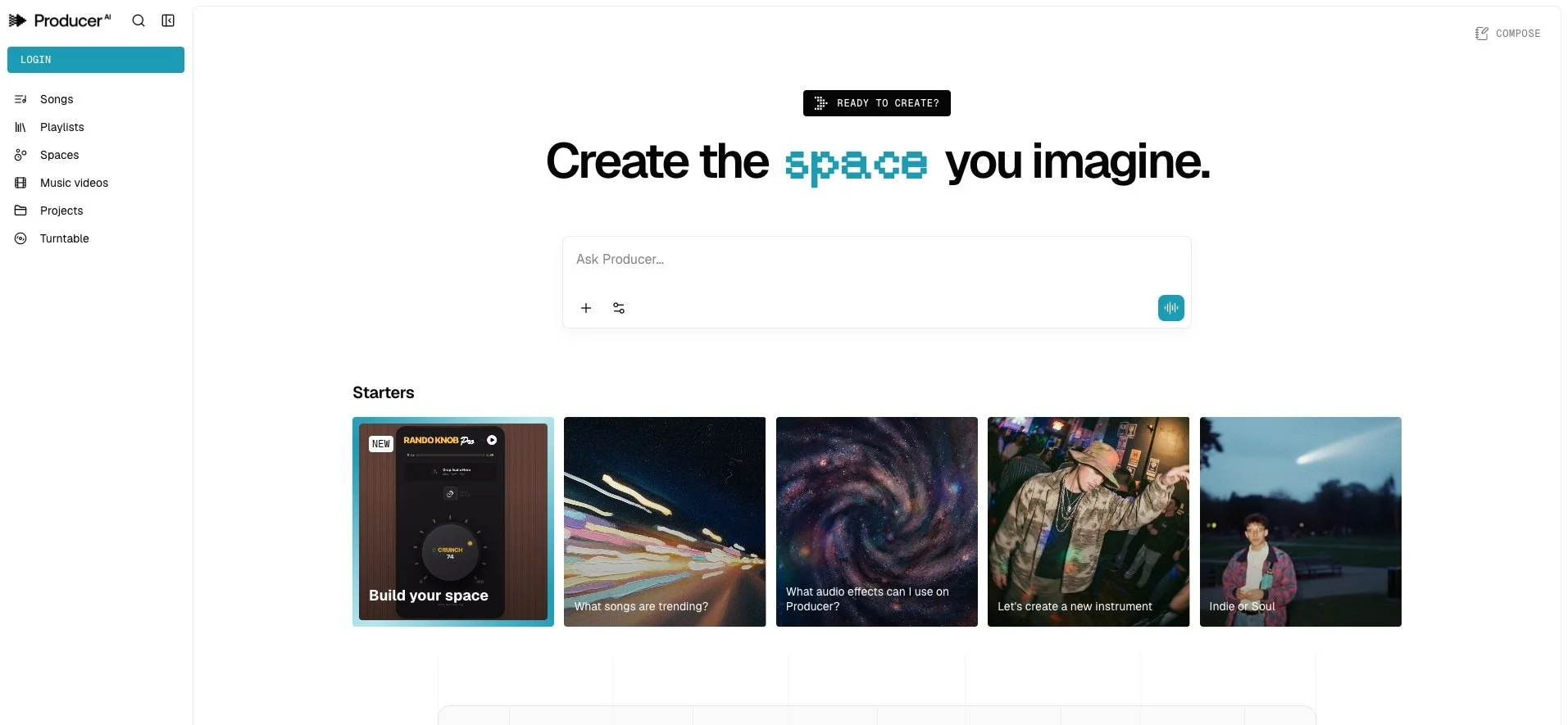
If you have been following the rapid evolution of AI music tools, you already know that the landscape is shifting almost monthly. New platforms appear, features expand, and policies change. For music educators, the real question is not which tool is “best,” but how each one works and what kind of musical thinking it encourages. A few months ago I signed up to a waiting list for access to the newest of these tools - this one recently acquired by Google (formerly known as Riffusion) - called Producer.ai. I finally got in over the weekend, and I must say - it’s really impressive - not only from a feature perspective, but also from the output. Producer.ai has a particularly unique design philosophy. To understand it clearly, it helps to compare it with other well-known generative music platforms such as Suno and Udio. All three allow users to generate music from prompts. All three can produce surprisingly polished results. But the differences in workflow, control, types of output and classroom implications are what sets it apart for me.
The first major difference is workflow structure. Suno and Udio are widely known for their prompt-to-song immediacy. A user types a description, selects a style or genre, and receives a relatively complete track in seconds. The experience is often centered around the “big reveal” moment. In contrast, Producer.ai is structured more as an iterative environment. It encourages back-and-forth refinement through conversational prompts and production-oriented adjustments. Rather than simply regenerating a new song from scratch, users can tweak specific elements such as tempo, lyrical alignment, or stylistic nuances in an ongoing session. That makes the creative process feel less like a single command and more like a studio collaboration. Here’s an example of my first interaction with Producer.ai and how it differs significantly from other tools.
Here is the prompt that I entered before clicking on anything else:
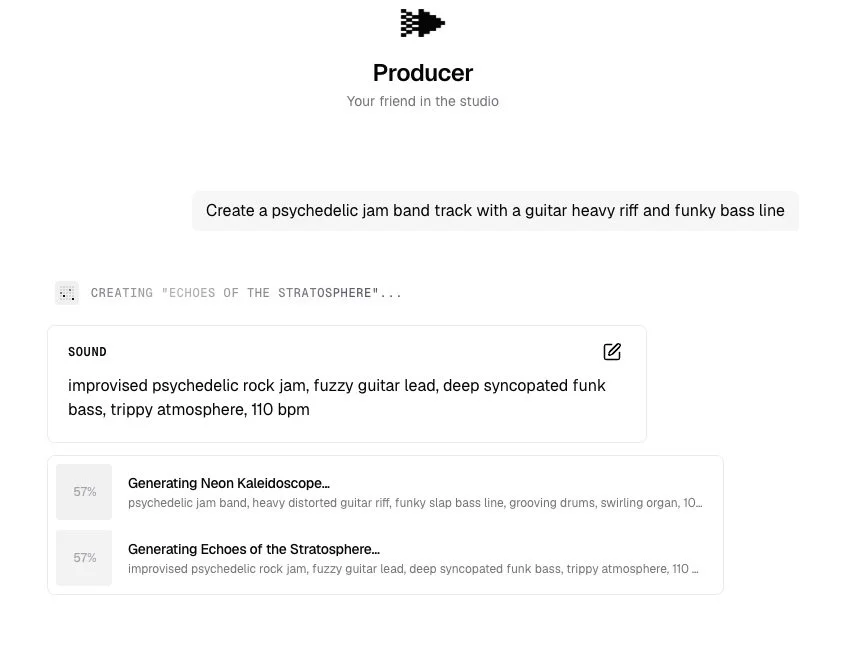
For those of you who know me, I am a lifelong Deadhead, and thoroughly enjoy bands like Phish, Goose, and Billy Strings. I love jam bands. I wanted to see if Producer.ai could produce something that I would expect to hear at one of these shows. Here is what it came up with for that prompt:
I think it’s spot on - just needs some ironic and humorous lyrics. Next, I noticed that there was a music video option on the left menu. I decided to try it out. Producer.ai prompted me to upload some audio and images as well as some descriptive words to create the music video that I wanted. Here is what I entered:
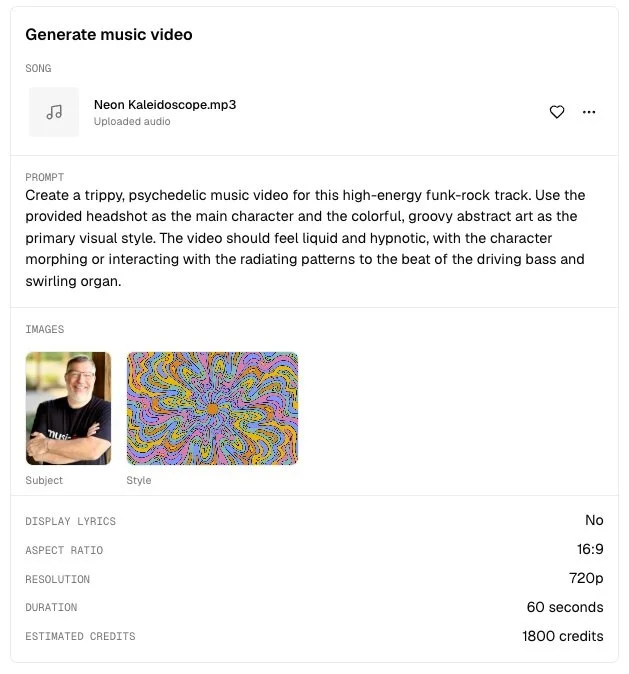
And after waiting for 20 minutes for the video to render, here is what it produced:
I never knew that I could dance that well - and wow - that jacket! I might have to go out and find one at a thrift store so that I can be that cool in real life. I hope you found that as amusing as I did. I can imagine that students would have a BALL with it.
So with that experience in the rearview mirror, I have to say that Producer.ai feels a lot different than any of the other tools that I have used. More personal, more intuitive. But why? After playing around on the site for a few hours, I noticed some very big differences. To start, Suno and Udio focus heavily on stylistic interpretation of text prompts. You need to describe mood, genre, instrumentation, or lyrical themes, and the system interprets those holistically. Producer.ai, by comparison, integrates more music production language into the interaction. You need to know how you want it to sound. You can include details such as rhythmic feel, structural pacing, and lyrics in a more musical way. While all three platforms are powered by advanced generative models, Producer.ai presents itself less as a “song generator” and more as a digital co-producer responding to specific technical feedback.
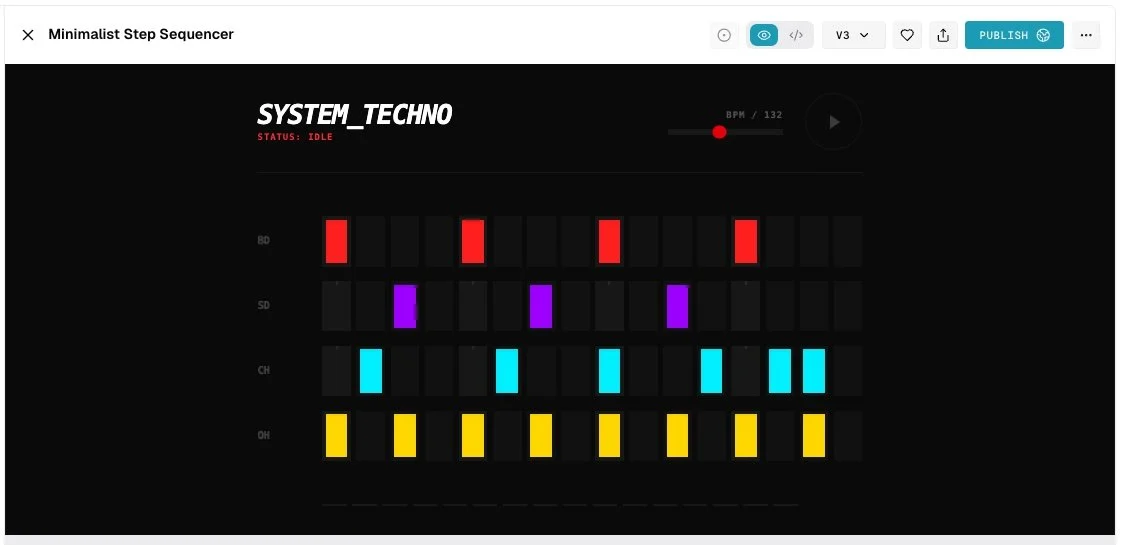
Another important difference is how flexible Producer.ai is. It allows you to build and share your own custom sound tools or small music apps simply by describing what they want in plain language. Really? Really. That means the platform is not just about generating finished songs. It can also be used to design instruments, effects, and interactive sound experiences. When you click on the Spaces menu, you can actually build your own instruments. I decided to build a minimalist step sequencer - and it worked! You can then tweak these instruments based on prompts that encourage you to experiment with what you’ve built. Very impressive.
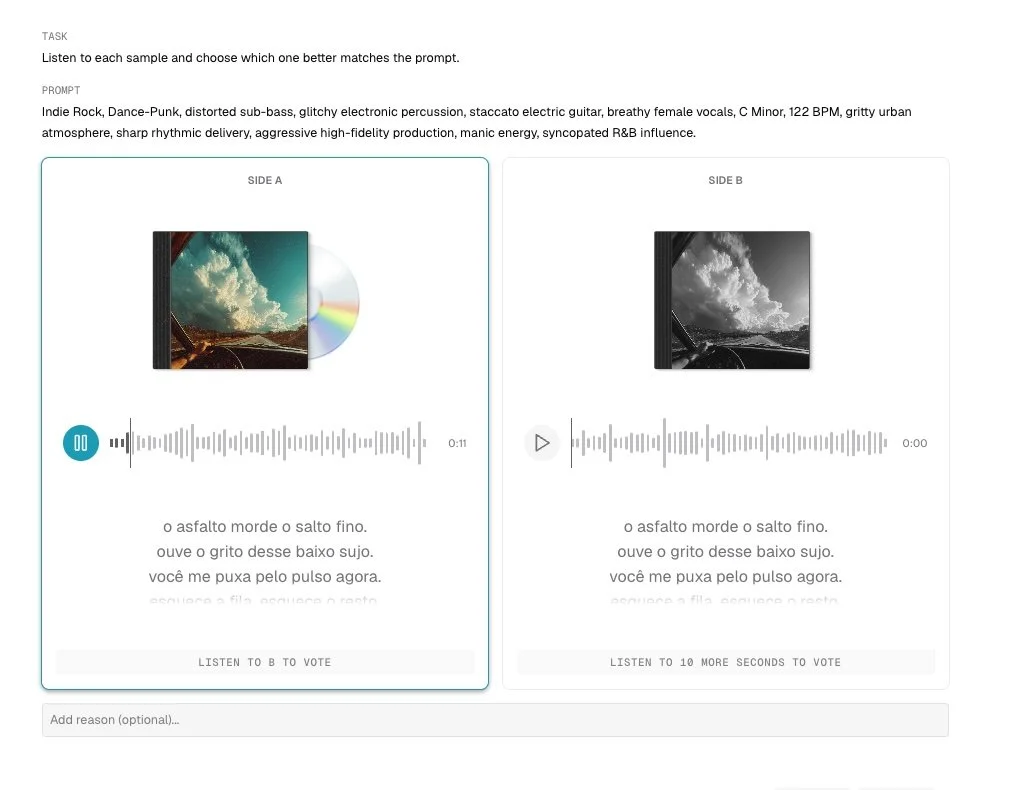
The only thing I couldn’t figure out on the site was the Turntable section. It asks you to compare two tracks and then vote for the one you prefer after listening to each song for 10 seconds. I did this over and over and never got anywhere. Maybe it’s learning what my preferences are and then using those to help improve the musical outcomes - but I couldn’t find anywhere that explained it. Oh well…
Another big difference is transparency and labeling. Unlike Suno and Udio, which scrape their data from copyrighted music and don’t give any credit to the creators, Producer.ai integrates watermarking technology designed to identify AI-generated content. This has implications for attribution and disclosure. Suno and Udio have both been part of broader industry discussions regarding training data, copyright concerns, and usage rights. While each company has articulated policies about commercial use and licensing, the public conversation around these tools has included legal scrutiny and evolving agreements with major rights holders.
From a pricing standpoint, both Suno and Udio operate with tiered access that often includes free versions with limitations and paid plans offering expanded generation or commercial rights. Producer.ai similarly uses a credit-based model with free and paid tiers, but the emphasis on iterative refinement means that credit usage patterns may look different. A tool designed around repeated fine-tuning will distribute its value differently than one centered on rapid, standalone outputs.
Finally, the user experience for all of these tools is subtly different. Suno and Udio emphasize expressive prompt writing. Students often experiment with descriptive language, genre blending, and lyrical storytelling to achieve desired results. Producer.ai leans more heavily into the language of music production: revision, parameter adjustment, and iterative shaping. Neither approach is inherently superior, but they frame creativity differently. One foregrounds imaginative description; the other foregrounds refinement and production decision-making.
Producer.ai, Suno, and Udio each represent different design priorities in terms of using generative AI to create music. When we look beyond the novelty and examine workflow, control, extensibility, transparency, access, and creative mindset, we gain a clearer picture of how each tool might function in a classroom setting. Personally, I think tools like this one, in tandem with other creator-first tools like Moises.ai, is a much better way to incorporate AI into your creative endeavors and your teaching. As always, excellent teaching comes first. Technology simply gives us new ways to explore the musical questions we already value.