I've been involved in music education technology for a long time, and one thing I've learned is that the best technology doesn't necessarily have the most features. It's the technology that teachers can use effectively and that students actually enjoy using. With that in mind, I'm very excited about the release of the completely redesigned YuStudio, the cloud-based digital audio workstation (DAW) created by the brilliant team at Charanga.
Released this week, this is WAY more than just a glow up. The team at Charanga has spent considerable time improving the overall experience, adding some terrific new features, and making YuStudio more accessible to students of all abilities. Having worked with many different DAWs over the years, I think this new version represents a significant step forward.
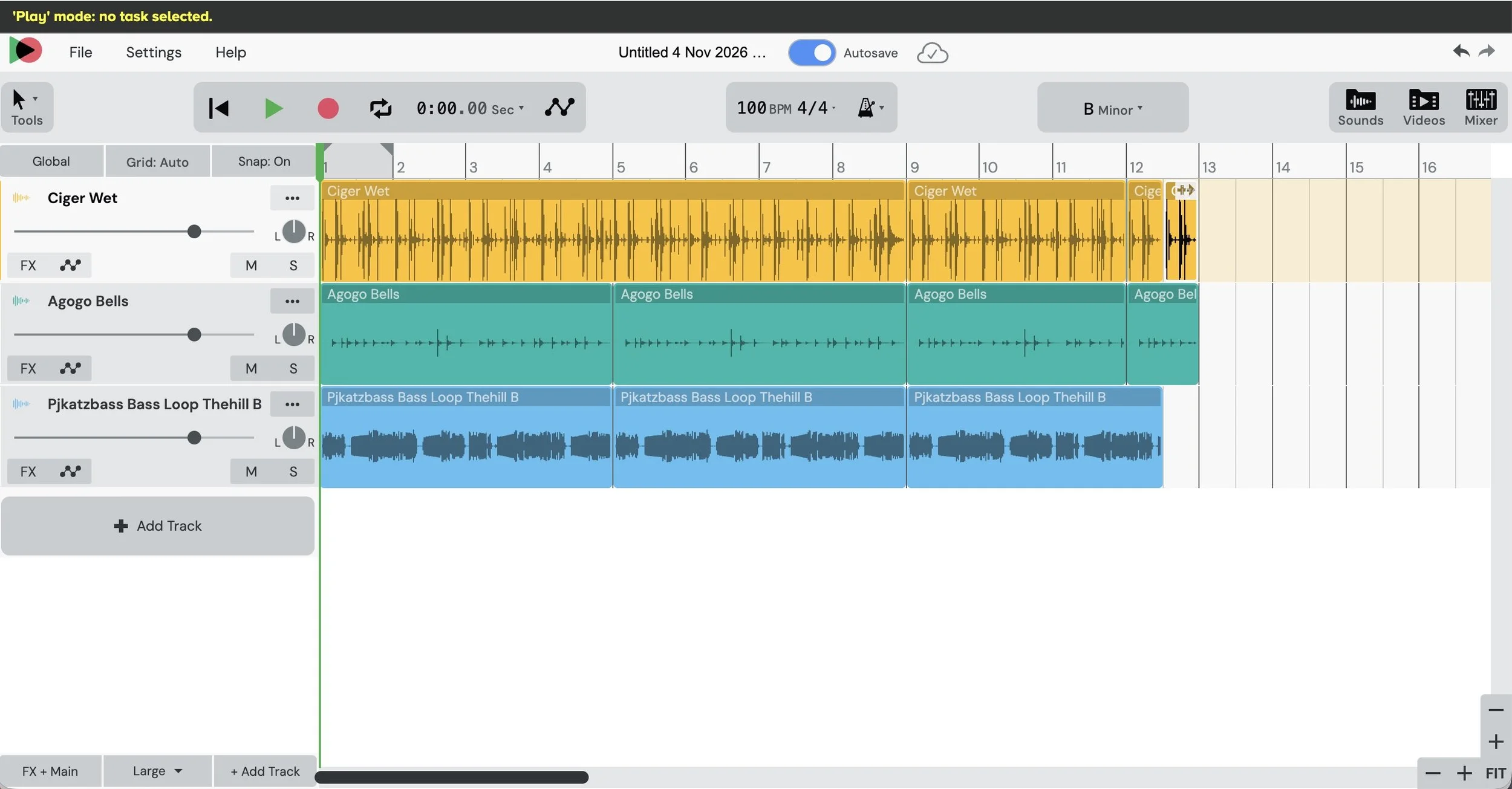
A Fresh Look and a Better Experience
The first thing you'll notice when opening the new YuStudio is the completely redesigned interface. The updated colors, layout, and navigation give it a much more modern and professional appearance. More importantly, the changes make it easier for students to find what they need and get started creating music.
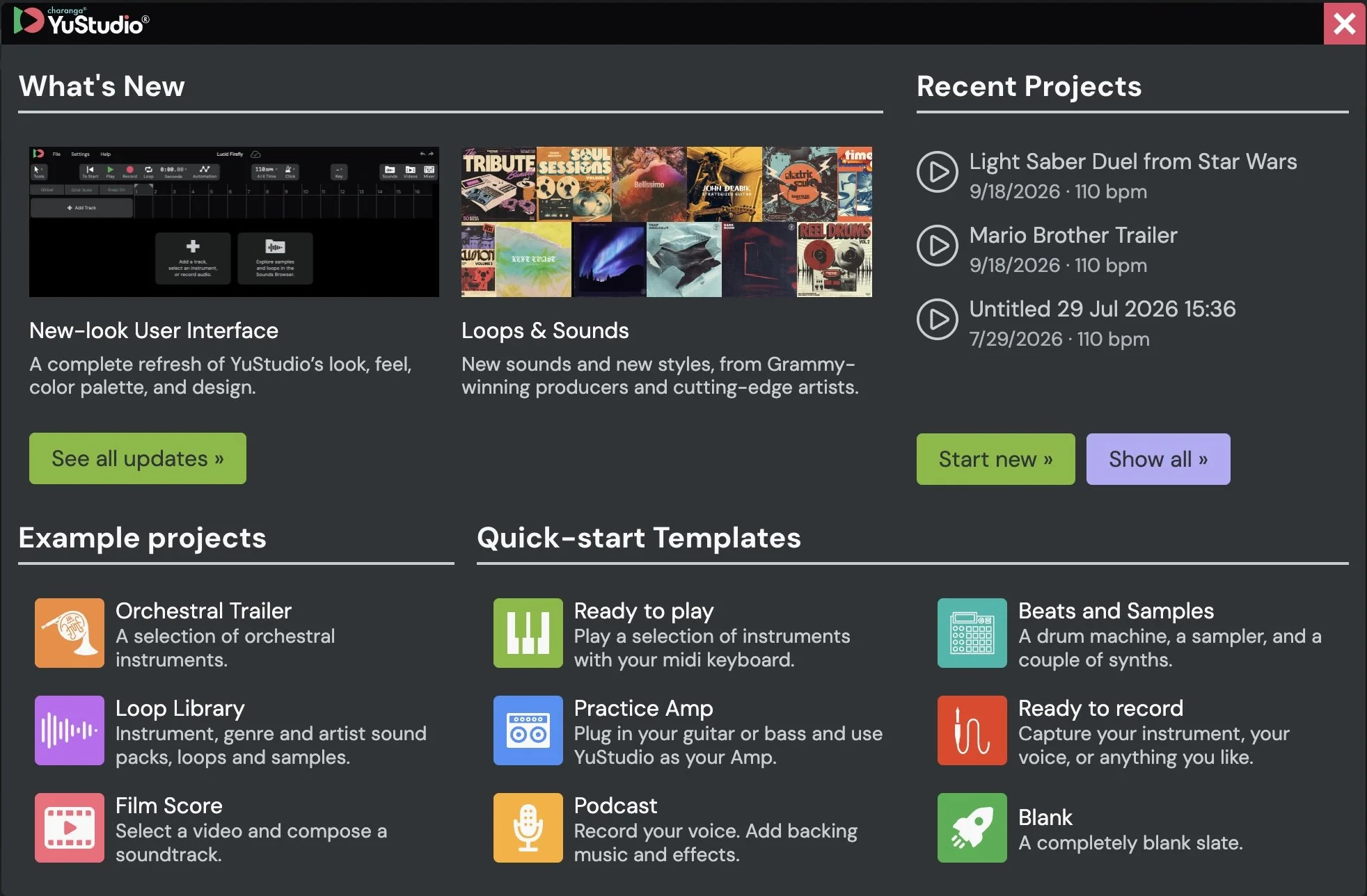
There's a new Welcome Screen (above) featuring templates and example projects, which I think will be particularly helpful for students who have never used a DAW before. The Instrument Chooser has also been redesigned to provide more information about the available instruments. One feature I particularly appreciate is the ability to switch between Light and Dark modes (hooray!!). There's also a new Minimal Mode that removes supporting text and labels for more experienced users who prefer a cleaner workspace.
The on-screen keyboard has received a substantial upgrade, including scale folding and improved touchscreen functionality. These are practical improvements that should make a real difference in classrooms where students are working on a variety of devices.
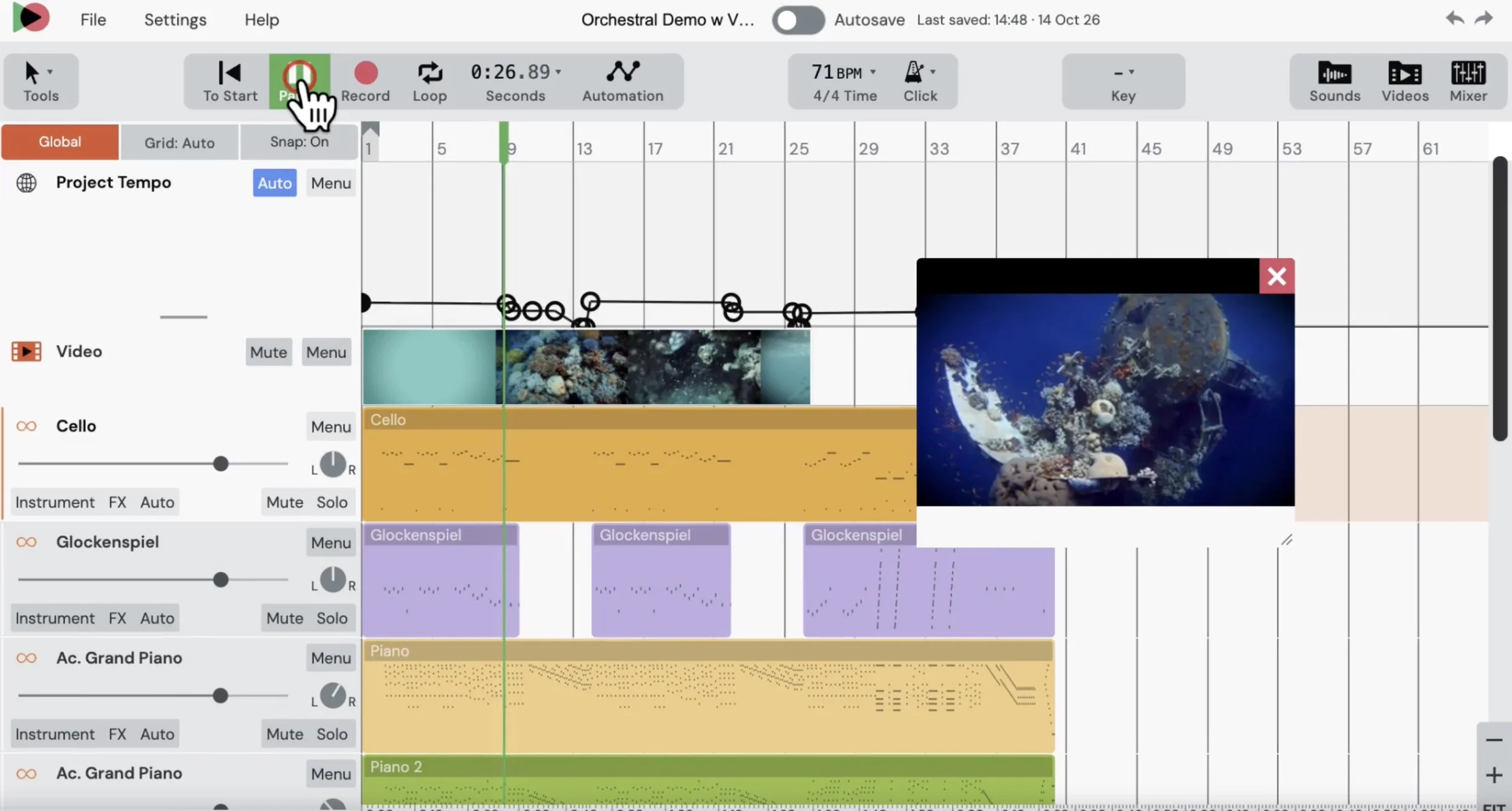
New Possibilities
Perhaps the most exciting addition is the ability to automate tempo changes within a project. Students can now create accelerandos and other gradual tempo changes or experiment with sudden shifts in tempo. This opens up possibilities for composing music across a wide range of genres, from classical music to hip-hop and electronic dance music.
Another welcome addition is Input Monitoring, which allows students recording vocals or instruments to hear the effects they're using while they record. For anyone who has spent time teaching music production, this is an important feature that brings YuStudio closer to the experience of working in a professional recording environment.
There are also several improvements that should make the creative process easier. Students can tap to establish a tempo, automatically quantize notes as they record, and take advantage of improved recording behavior that includes an automatic count-in. New automation options for the main channel provide additional control over mixing and mastering. YuStudio also includes TONS of new loops and sounds created by Grammy Award-winning producers and contemporary artists. These additions provide students with more opportunities to explore different musical styles and develop their own compositions.
Accessibility Matters
One improvement that deserves special recognition is YuStudio's expanded accessibility. The software is now fully compatible with screen readers and includes keyboard shortcuts for all core functions. As music educators, we should expect the technology we use to accommodate students with different learning needs and abilities. I'm delighted to see Charanga making accessibility such an important part of this release.
What excites me most about the new YuStudio is how these improvements can help teachers introduce music creation to more students. Whether you're teaching composition, songwriting, music production, or simply looking for ways to engage students who might not participate in traditional performing ensembles, YuStudio provides a powerful creative environment without requiring expensive software installations. Students can begin with a template, experiment with loops, record their own performances, and gradually develop the skills needed to create increasingly sophisticated projects. Of course, no piece of software can replace a good music teacher. But tools like YuStudio can give teachers more ways to reach students and help them develop their musical creativity.
I encourage music educators to take a look at this new release. MusicFirst is offering a free 30-day trial, including for teachers who have previously taken advantage of one. Congratulations to Max Wheeler (Product Owner), Pat Hime (Lead Developer), and the entire Charanga team on an excellent release. I'm looking forward to seeing what teachers and students create with it!