It’s FINALLY Here. Soundtrap Adds Video Scoring!
The team at MusicFirst has been selling the incredible online DAW, Soundtrap for Education, for almost 10 years now. During that time, we’ve heard from countless music educators about one feature that was missing - video. On my podcast, Profiles in Teaching with Technology, I always ask the same question at the end of every interview: If you could wave a magic wand and have technology do something that it can’t do now, what would it be? For anyone who uses Soundtrap for Education with their students, video was always the answer. Today, Soundtrap for Education announced that they have given music teachers the biggest gift possible - just in time for the start of the school year: video scoring. This is HUGE for Soundtrap users and I think I can hear the cheers from around the thousands of music classrooms that use this powerful online DAW every day.
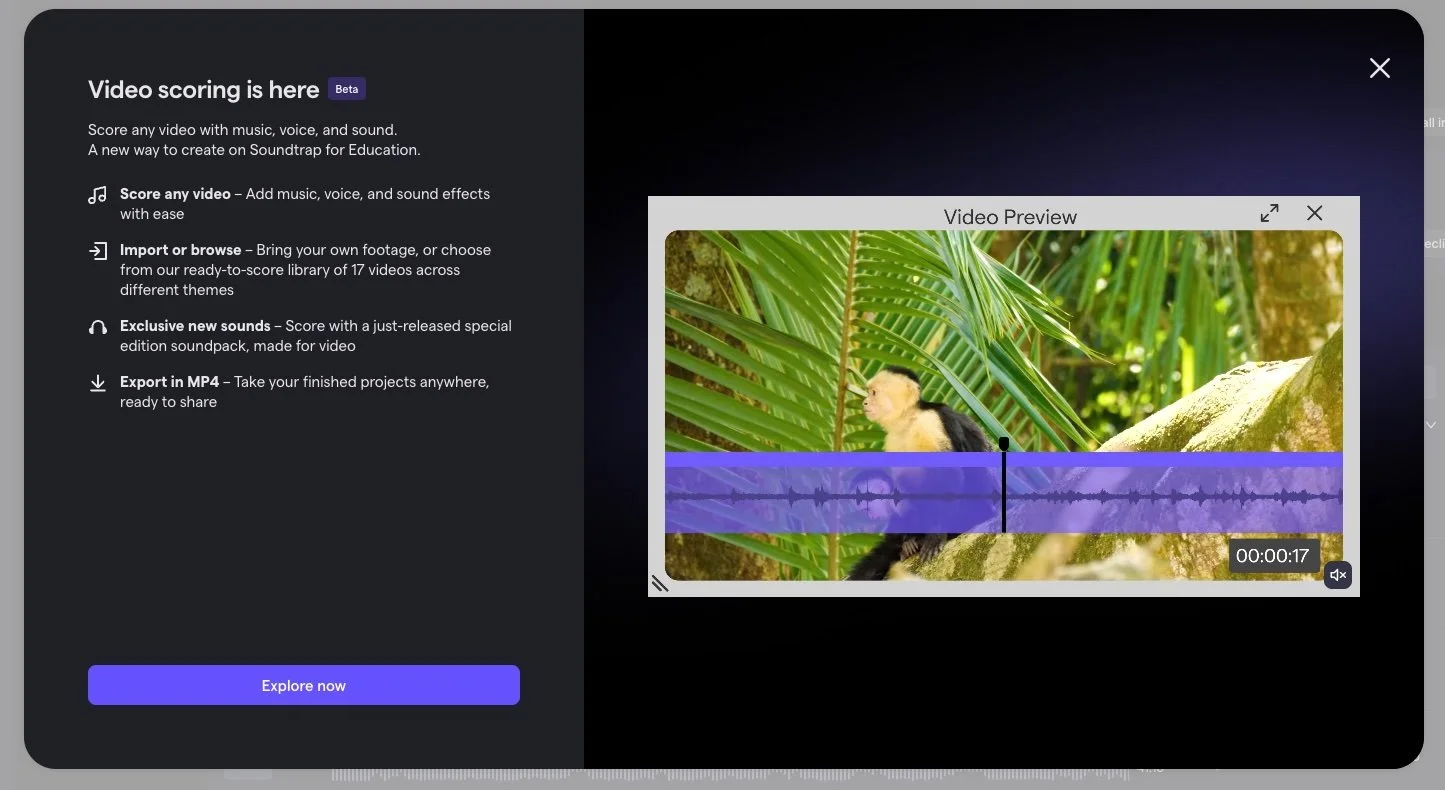
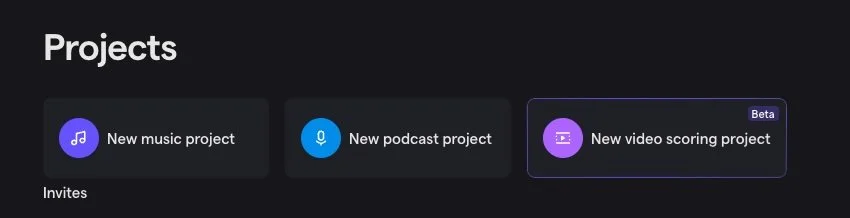
When you login to Soundtrap for Education today - whether the standalone version or through the MusicFirst Classroom, the image above is what you’ll see. Personally, I was very excited to explore this new feature after waiting so long for it. Once you dismiss the notification, you’ll see a brand new project type that you can select from your home screen:
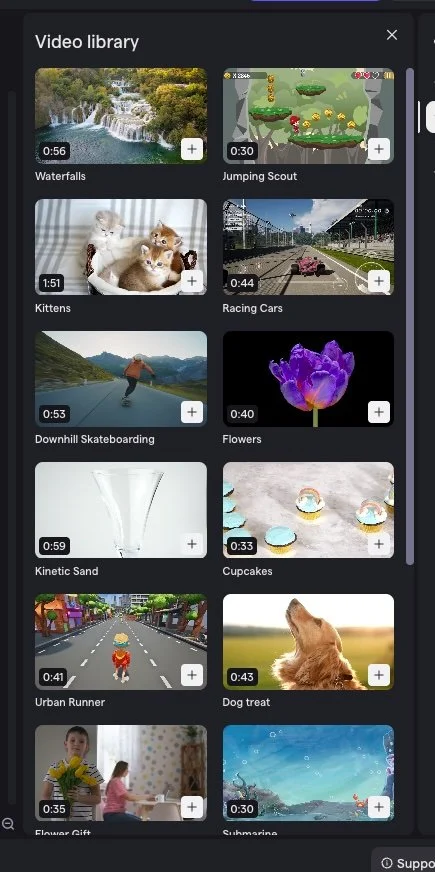
If you click on New video scoring project, you’ll launch the Studio and immediately see a brand new window on the right side of the screen (the Video library) that looks like this:
If you click on the plus sign in the bottom right hand corner of any of the included videos in the library, it will add it to a new video track at the top of your project window. It looks like this:
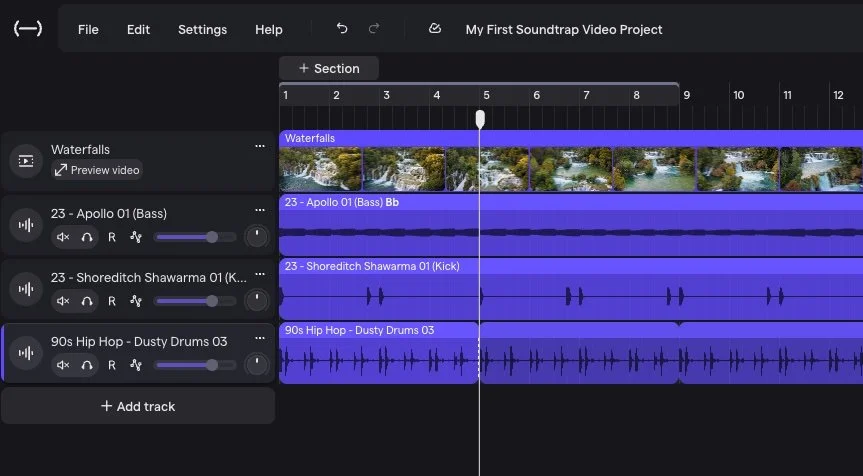
Very cool! If you then start composing and want to see a larger video window, you click on the Preview video button in the track header and a small window will pop up over your tracks:
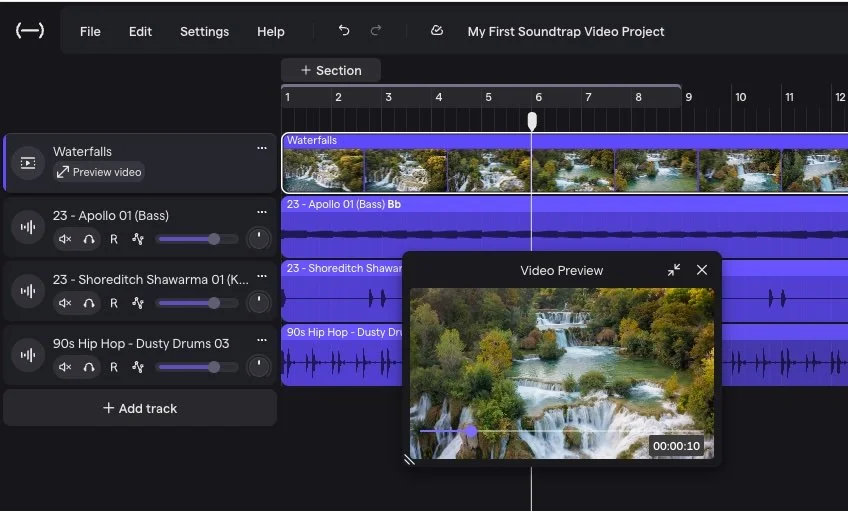
You can then click on a full screen button in the preview window if you want to see the final version (the tracks will disappear). For teachers and students using a paid Classroom, School, or District plan, you can import MP4 video files up to five minutes long directly into Soundtrap. The audio from the video automatically appears as its own track, where students can edit, mix, split, and add effects just like any other audio track. Classroom and School users receive 1GB of storage per user, while District users receive 2GB. If you need to free up storage, simply delete the video track from the project. If you do not see the option to import video, check with your account administrator to make sure Video Import has been enabled in your account settings.
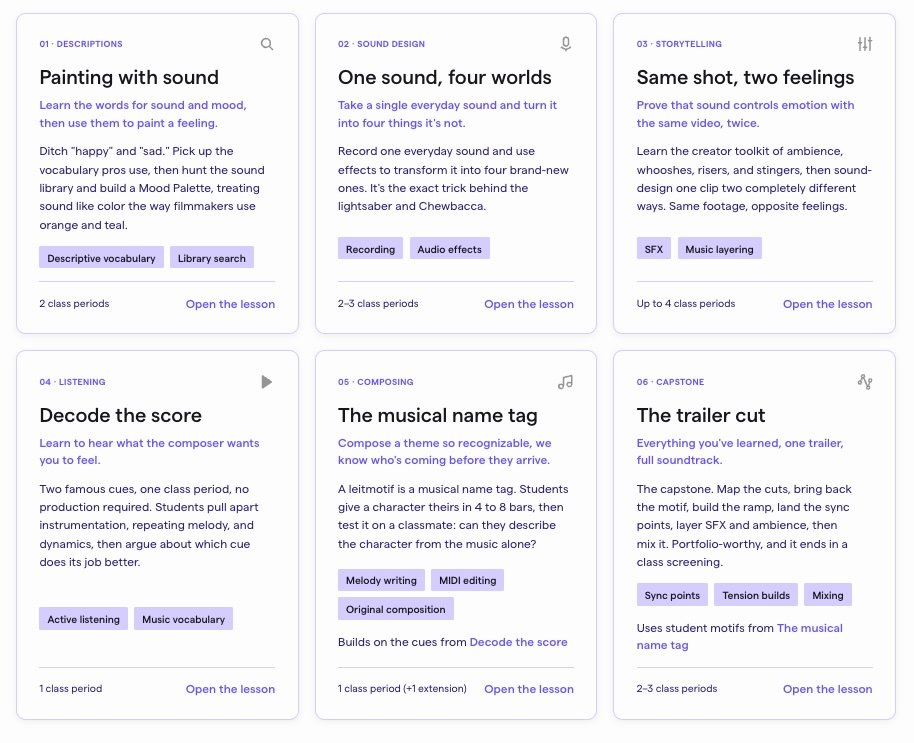
I don’t think I need to explain why this is such a powerful new feature. I personally think that video scoring is one of the most exciting things that you can do with your music students. Bring in a video clip from a blockbuster movie, TV show, or music video and ask your students to rewrite the music, sound effects, and script. The folks at Soundtrap for Education have included six great lesson plans for you to explore if you need some ideas on how to incorporate video scoring into your curriculum.
A big congratulations to the development team at Soundtrap for Education for bringing this feature to the market. I know that longtime Soundtrap customers and their students will benefit greatly from it. If you would like to try out this new feature and you’re not yet a Soundtrap for Education user, just sign up for our FREE 30-day trial and start video scoring with your students today. Enjoy!