Resource: Elementary Music Summit
Every summer, I look forward to events that bring music educators together—opportunities where we can share ideas, spark creativity, and re-energize for the coming school year. Over the past few summers, I’ve traveled around the country on behalf of MusicFirst presenting at a wide variety of in-person conferences, but this year there is an online event for elementary music educators that has really stood out - the Elementary Music Summit hosted by Bryson Tarbet (aka That Music Teacher). It’s a completely online, free conference designed just for elementary music educators, and this year’s lineup is nothing short of inspiring. MusicFirst is a VERY proud sponsor of the event, and we have a fantastic session planned that focuses on our amazing offering for elementary music teachers. Melanie Alexander, Mary Birkner, and Amy Burns are teaming up to present a session titled Sing, Move, Play, and Create with MusicFirst Elementary on July 9th at 1:30 PM EST . If you’re not familiar with MusicFirst Elementary yet, this is the perfect opportunity to dive in.
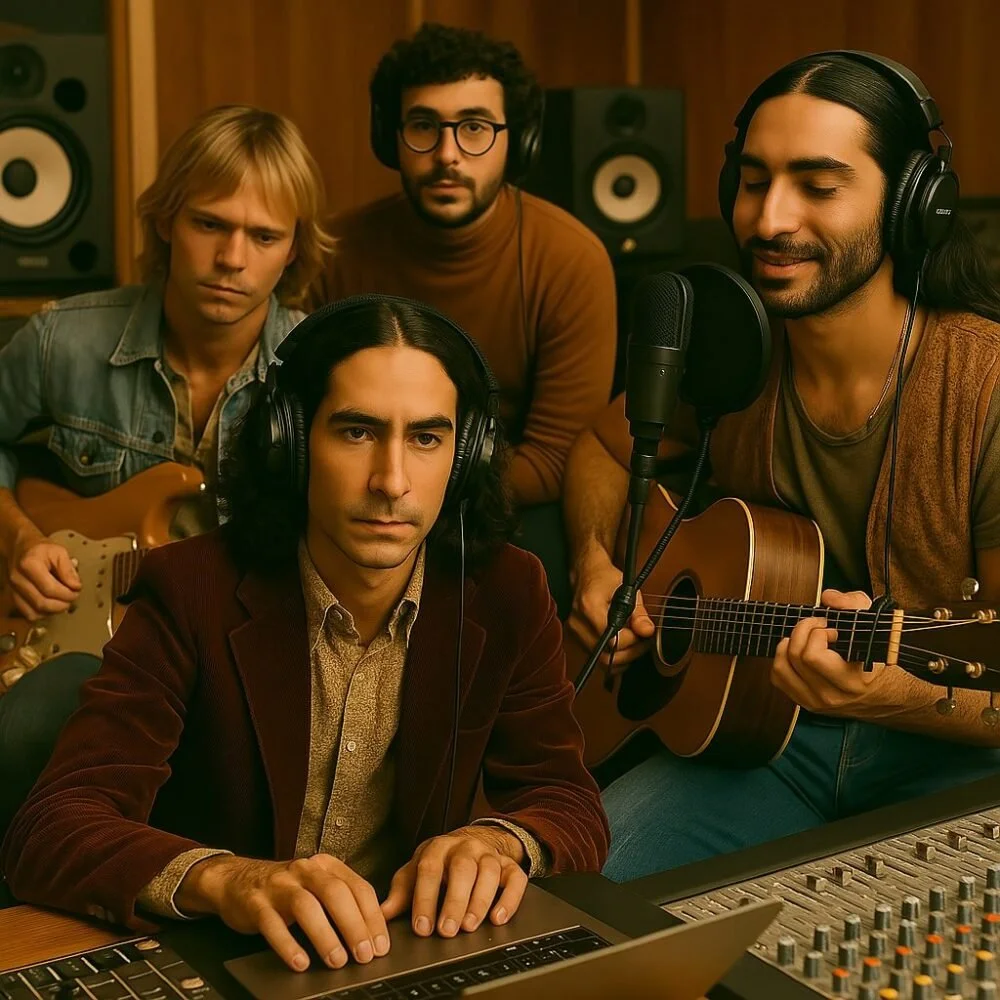
Should We Be Worried About The Velvet Sundown? Maybe.
I’ve been giving keynote addresses and workshops all around the world over the past two years about the impact of Generative AI (GAI) on music and music education. Aside from sharing many GAI tools that can be used in music education, the main theme that I emphasize is that music educators are in control of how these tools can or should be used in their teaching. If you don’t like AI at all, don’t use it. If you’re worried about students becoming lazy and using AI to do all of their homework, it’s probably a little too late for that. If you wish you could just “teach music” and not get bogged down with all of the related administrivia, use AI tools to do the tasks you don’t want to do (or don’t have time to do). I recently watched the video above from one of my favorite YouTubers - Rick Beato. It features a band on Spotify named The Velvet Sundown, a trippy band with over 500K monthly listeners. The problem with this band is that they don’t really exist. They are undoubtedly completely generated by AI - everything from their profile, to their pictures, to their music. This is EXACTLY what teachers and musicians have been worried about when I ask them what about AI scares them. It’s here.
Resource: Classics For Kids
Elementary music teachers are always on the lookout for resources that are meaningful, easy to use, and one that actually works with students. Classics for Kids is one of the online resources that checks all the boxes. The site was created as an outreach project from Cincinnati’s public radio station 90.9 WGUC, the site introduces elementary-aged students to the world of classical music in a way that’s approachable, interactive, and completely free. Classics for Kids feels like it was made by music teachers, for music teachers. It includes lesson plans that are structured to align with NAfME standards, which makes it incredibly easy to plug them directly into your curriculum without a lot of extra prep. You’ll find everything from composer profiles, lesson plans, games and listening activities to worksheets and follow-up questions that are all designed to keep students engaged while meeting your instructional goals.
Resource: BBC Sound Effects
I was reminded today by dear friend and colleague, Robin Hodson, about the incredible online audio archive that was created by the BBC. It is a PERFECT resource for music educators and their students. Why? Sometimes the right sound effect can completely transform a student project. Whether it's the crash of thunder in a suspenseful podcast, the rattle of a train in a short film, or the bubbling of a rainforest in an electronic composition, sound effects breathe life into creative work - like podcasts or film scores. Let me introduce you to the BBC Sound Effects Archive. If you haven’t visited https://sound-effects.bbcrewind.co.uk/ yet, you should. This incredible site offers access to over 33,000 sound effects from the BBC’s legendary archive—and yes, they’re FREE to use for educational and personal, non-commercial projects. It’s an incredible collection of audio clips for anyone interested in music production, media composition, or storytelling.
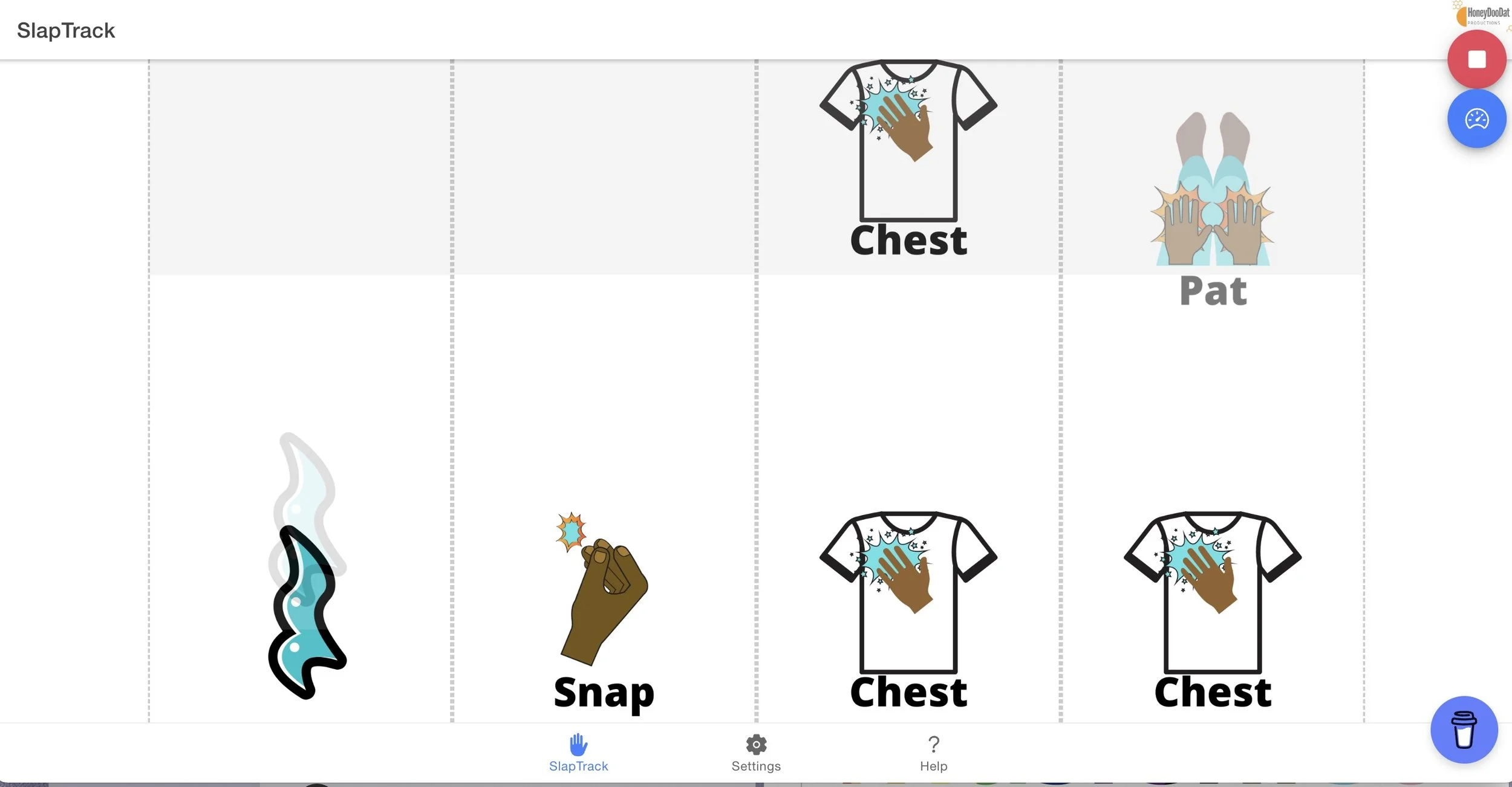
Tool: SlapTrack
Sometimes, really simple tech tools are really good, and when they’re FREE, they’re even better. I just found a wonderful FREE tool for elementary music educators called Slap Track and all it does is create play-a-long graphics for body percussion. That’s it. There are nine different icons that when you press the play button, will start bubbling up from the bottom of the screen while synced to a metronome. When each icon hits the top of the screen, the students are meant to “do” whatever the icon says. Super simple.

Choosing the Correct Audio Cable
If you’ve ever stood in front of a tangled pile of audio cables wondering which one to grab, you’re not alone. For music educators and students alike, understanding the types of audio cables—and when to use each—is essential for getting clean, clear sound in any setup, whether it’s a classroom DAW project, a live performance, or a recording session. Audio cables all look pretty similar, but there are important differences that dictate how and when to use them. Let’s break down some of the most common types of audio cables, including mono vs. stereo, TRS vs. TS, RCA cables, and when balanced vs. unbalanced cables matter.

Tool: Beat Blender
As a music teacher, I’m always on the lookout for engaging, intuitive, and accessible tools that can provide an opportunity for students to explore their creativity—especially those that require little to no prior musical experience to enjoy. That’s what makes tools like Beat Blender from Google’s AI Experiments so engaging. It's not just a one trick pony—it’s a powerful and fun way to get into beat - perfect for today’s digitally learners. When you first launch Beat Blender, it might feel more like a music game than a learning platform, but that’s part of its charm. It presents an easy-to-use interface where users can mix and morph different drum loops together in real time. Four beats are placed at the corners of a colorful square, and by dragging a cursor anywhere within the space, you instantly hear a blended version based on your position. It’s an elegant way to visualize and manipulate rhythm and texture—and it gives students immediate feedback on how rhythmic elements interact.

Creating Custom GPTs for Teaching Music
Over the past few years, I have used ChatGPT in many ways - mostly as an editing tool and for generating ideas and emails. I’ve also had lots of fun making all sorts of images. About a year ago, I started experimenting with creating my own custom GPTs after hearing about the ability to do so from a friend. Put simply, Custom GPTs are tailored versions of ChatGPT that can think and respond in exactly the ways you want them to. You get to create them from scratch and train them so that they can create content that is customized for your specific purpose(s). If you’re a music teacher looking for ways to save time, personalize instruction, and make your classroom more dynamic, creating a Custom GPT could be a VERY useful tool. Whether you're running a general music class, directing a band, or teaching AP Music Theory, there are many ways that Custom GPTs can be used to help you teach music. Before we go into specific uses, let’s explore exactly how to build one. For the purpose of this post, I am using ChatGPT.

Lesson Plan: The Beach Boys
To honor the late Brian Wilson, I’m sharing a lesson plan from the Introduction to Popular Music course that is included in the MusicFirst Classroom Content Library. The lesson includes a special Spotify playlist, as well as 4 tasks for your students, including a Remix project. I hope that you can use this lesson plan to help celebrate the life of one of popular music’s true icons.

Looking for Stems? Check out this site!
Whenever I go to a conference, I always pick up a few new sites or tools from attending sessions. This past week at APME in Memphis, I found quite a few. Perhaps my favorite is a site where you can find HUNDREDS of songs that are available to download as stems. Stems are the individual tracks that make up a complete song. While there are now lots of AI-powered software tools that allow you to break down a song into individual stems (check out my post on Moises - my personal favorite tool), the owners of those copyrights aren’t all too thrilled about you doing that. Enter the Cambridge Music Technology website - specifically a page that is dedicated to a book called Mixing Secrets For The Small Studio by Mike Senior. It contains 625 projects - all with downloadable copyright-free stems. If you are working with students who are interested in digital music production and remixing, this is the PERFECT site to find great content for them to work with.

APME 2025 Recap
I’ve spent this past week on the road on behalf of MusicFirst - first in the Houston metro area, and then I headed to Memphis for one of my favorite conferences of the year - APME. I was joined my SO many good friends and colleagues, including the one and only Jody Underwood, Lee Whitmore, and of course, Barbara Freedman. My favorite part of the conference are the student performances - and there were TONS this year. It’s always so encouraging to hear just how good these students bands are. The future of music education is in very good hands. There were tons of sessions to choose from, and I had the honor of presenting two of them: Empowering Music Education with MusicFirst & Soundtrap, and Reaching More Students with Modern Band.

Take That Sick Day - The Perfect Sub Plans
Let’s face it - many music teachers find writing relevant lesson plans for when they need a sub so awful that they would rather go to school sick than to take the time to write them. I know I did that quite a few times in the 15 years that I taught. A good strategy? Of course not. When I really needed a sick day, my poor students would often watch videos like Beethoven Lives Upstairs or Riverdance. They truly hated it but I couldn’t think of anything really engaging when I knew that the sub would almost NEVER be a music educator, or even know enough about music to teach anything meaningful in my absence. Sound familiar? Enter Focus On Sound - exclusively from MusicFirst. Every teacher needs to take a day now and then - whether it’s a last-minute emergency, a conference, or a well-earned personal day, music teachers need reliable sub plans that won’t cause anxiety, confusion, or chaos in your classroom.

Tool: Rhythm Grids in MusicFirst Elementary
Elementary music classrooms are spaces that are often full of movement, sound, and budding creativity. One of the very cool tools in the collection of Creative Tools within MusicFirst Elementary that utilizes all of these elements is the Rhythm Grids tool. One of the best parts of teaching elementary music is watching students light up when they feel the music come to life. Rhythm is often the first entry point for that, and Rhythm Grids in MusicFirst Elementary is a fantastic tool for helping students not only feel rhythm but see it, create it, and truly understand it. If you're looking for a dynamic way to build rhythmic literacy while supporting creativity, collaboration, and musical expression, Rhythm Grids is your new best friend. The best part? This tool in included with every implementation of MusicFirst Elementary!

To Free Or Not To Free: The Pros and Cons of Using Free and Low-Cost Software with your Students
Everyone likes free. Myself included. But as I was told by my parents numerous times in my childhood: “Nothing in life is free.” In my opinion, nowhere is this idea more relevant than the software industry - both music-oriented and non-music apps. The widespread adoption of free software started around the same time as beginning the smart phone and tablet era. Certainly there was “freeware” and “shareware” before then for desktop computer users, but they were largely targeted toward “computer geeks” and kids. When Steve Jobs walked out on stage and showed the iPad, complete with a dizzying array of apps, a shockwave was heard around the entire software industry: people now had access to free, high quality “apps”, and with that came a mentality that software should be free. To demonstrate this point, ask yourself the following questions: How often have you actually “paid” for an app on your iPhone or Android phone? Are you more likely to download an app if its free? Would you consider purchasing an app if it was $4.99? Do you consider $4.99 a high priced app? For me, the answers to these questions are as follows: rarely, yes, probably not, and yes. How about you? I’ll bet your answers are similar to mine. Here’s a funny thing, though. I have absolutely no problem walking into a nice coffee shop and spending $5 on a large venti-half-caff-skinny-mocha-latté. Even though the drink is over-priced and gone in less than 10 minutes, I don’t give it a second thought. An app for $4.99? It had better slice bread, do the laundry, and change my life!

MTA Conference Recap
These past few days I have had the absolute pleasure of attending and presenting the Keynote Address at the Music Teachers Association 2025 Conference at the Trinity Academy in Bristol, England. I was there representing MusicFirst and Charanga along with my colleagues Richard Payne, Mark Cardy, Tony Pinkham, Naomi Cook. There were lots of engaged music educators who were all quite interested in our new Secondary Music Suite. My keynote focused on the impact of AI on music making and learning. If you’d like to download a PDF version of my slide deck, click HERE. Hats off to the entire MTA team for putting on a wonderful few days of meaningful professional development. I hope to be back again next year!

Audio to Sheet Music? Meet Klangio
One of the most frequently asked questions that I get is whether there is a tool that can accurately transcribe an audio recording into sheet music. My standard response is that if one ever does emerge, it will likely be sued out of existence pretty quickly, as there are SO many problems with this when it comes to protecting IP and copyrights. I have personally seen some really good technology demoed over the past decade, but I rarely see them actually see the light of day because of those copyright issues. That said, I have seen a tool called Klangio quite a bit over the past few years that claims to do exactly that. Klangio uses AI to convert standard audio recordings to create Sheet Music, TABs, MIDI and MusicXML. It can also transcribe directly from a YouTube video link! While it’s far from perfect in my opinion, it does what is says and will likely only get better (at least while it’s available).

AI Music Tool: Fadr
I’m on a ROLL this week with my posts - re-energized after a crazy few months of travel. I thought I would share another AI tool that I found recently, and I really think it’s very cool. Meet Fadr - a browser-based AI music tool that transforms any audio file into editable parts—or “stems”—while also offering remixing, key and tempo changing, and even live DJ-style manipulation. I wrote about one of their tools called SynthGPT a while ago, but I just dug into their other tools and I am impressed. The Create tool is really similar to tools like Moises but there are a couple of unique things about it. Fadr was originally built with DJs in mind, but I think it’s a really useful tool for music educators who want to teach everything from critical listening to composition and music production—all without the steep learning curve of a traditional DAW.

Music Scanning Tools for Music Educators
If you’ve ever looked at a printed score and thought, I wish I could just import this into my notation software, you’re not alone. Music educators deal with piles of sheet music—archival works, custom arrangements, student transcriptions—and making those materials editable and digitally interactive has always been a pain point. Fortunately, music OCR (Optical Character Recognition) software has come a long way in recent years, offering teachers the ability to scan, edit, and even play back printed scores quickly and accurately. Whether you’re arranging a simplified band part, analyzing historical scores with your students, or digitizing your library for flexible playback and assessment, OCR tools are a huge time saver. Here’s a look at some of the most useful music OCR options available for educators—and how you might use them in your classroom or program.

Project Idea: Around the World in 80 Podcasts
I’ve seen a lot of posts recently from teachers who are looking for meaningful assignments for their students post concert. The last few weeks of the school year is often a challenging time for ensemble directors as they try to fill the remaining weeks of the school year with meaningful learning activities for their students. Here’s a project idea from my podcasting curriculum that just might fill that need. This project, which focuses on cultural diversity and awareness, is perfect for a school-wide multicultural festival or celebration, world history unit, foreign language class, music class, or art class. Students will work in small groups to create a podcast about an assigned country that will provide the listener with information about the country, its history, its people, its culture, its language, its food, and any other interesting facts. The focus of the podcast can be adapted to fit the type of class this project is assigned in. Students will research their given country, write a script using the Draft>Edit>Revise process, include representative music (if available), and answer the questions included in the Project Requirements. The students will also find an image of the country’s flag to be used when distributing the podcast. Teachers can create a bulletin board that includes those flags and add a QR code next to each flag so that other members of the school community can easily listen to information about that country. There are many other creative ways to disseminate these podcasts, including adding them to the school or class website.

Thank you, Moby. Free Access to 500 Instrumental Tracks
If you’ve been looking for a way to give your students access to professional-grade instrumental tracks for free, stop scrolling. One of the most interesting—and generous—resources available to music educators right now is MobyGratis. Created by the legendary electronic musician Moby, this platform gives filmmakers, students, and educators access to a vast library of instrumental music at absolutely no cost—provided it’s used for non-commercial purposes. Yes, you read that right. Free. Professional. Music. While Moby originally launched this platform 20 years ago (and I wrote about it back then), this relaunch brings over 300 NEW tracks, as well as multitrack audio so your students can download the individual stems making the music MUCH easier to work with - especially when it comes to remixing.