
Resource: Audio University
As someone who has spent my career at the intersection of music, education, and technology, I’m always looking for resources that can help students better understand the mechanics of sound, recording, and audio production. The Audio University YouTube channel and its accompanying online learning community have become one of those rare gems that combine clarity, accessibility, and relevance. For music educators searching for engaging supplemental content - especially for music technology course - it’s a resource well worth exploring. Created and hosted by Kyle Mathias, the Audio University YouTube channel is dedicated to teaching the fundamentals of audio in a clear, approachable way. The channel covers topics like mixing, mastering, microphone placement, acoustics, signal flow, audio gear reviews, and more. Kyle’s mission is simple: to make learning about audio “quick, easy-to-understand, and practical.”

What Would Lowell Mason Think of Music Education Today?
Every once in a while, I ask myself “What If?” questions. For me, this question spurs most of my creative thinking. Sometimes I come up with a decent idea or two, and sometimes it leads nowhere - but it’s the exercise that I enjoy. I recently asked myself “What if Lowell Mason, often called the “Father of Music Education” in the United States, was miraculously revived and took a look at music education in the United States today? What would he think? Would he be proud? Happy? Horrified? Mesmerized?”. I know I’m a bit of a nerd, but this question really got me thinking. And here’s what I ultimately came up with: If Lowell Mason could walk into one of today’s music classrooms, I think he’d be amazed. When Mason fought to bring music into public schools in the early 1800s, all he had were hymnals, a chalkboard, and maybe a pitch pipe. Fast forward two centuries and he’d find students with laptops and tablets, writing music that plays back instantly, getting immediate feedback on their performance, and exploring a world of music that stretches far beyond the European canon he so admired.

Facilitating Differentiated Instruction with MusicFirst
Over the past twenty years, differentiated instruction has become more than just a buzzword—it’s an essential framework for reaching every student in our classrooms. Like many music teachers, I have sat through professional development sessions that seemed aimed squarely at the core subject areas, leaving us to figure out how to apply the strategies in a rehearsal hall or general music class. What I’ve learned since then is that technology—especially music technology—can be the most powerful tool we have for differentiating instruction in meaningful ways for our students. Today, platforms like MusicFirst Classroom and the wide range of integrated software tools make it easier than ever to personalize learning for every type of student. What follows is a look at how differentiated instruction applies in music education, some traditional methods we’ve always used, and how technology available from MusicFirst has revolutionized our ability to make them work for every learner.

Top Ten Google Doodles for Music Education
One of my favorite things that Google does - and has done for over 25 years - is celebrate various holidays, inventors, composers, cultures, sports legends and historical figures through changing their well-known logo on their search page to something noticeably different - adding artwork that hints at what they are highlighting or celebrating. They have posted a very interesting history of Google Doodles - including the very first one that celebrated the Burning Man Festival back in 1998. They have created over 5,000 since then and every once in a while they create something truly special for music and music educators. What follows is my personal list of the top ten Google Doodles for music education. There have been WAY more than 10 - but this I chose the ones on this list based on their usability as a teaching tool, their interactivity, and the sheer fun factor. Here they are in no particular order. If you have some that haven’t made this list, please feel free to add them to the comments section. Enjoy!

AI Tool: GetMozart.ai
I’m always on the lookout for new AI-powered music creation tools - like Suno and Udio - mainly for two reasons. The first is how they impact creativity for our students and the second is how they actually generate music - and how their AI algorithms were trained. I tend to focus more on the impact on the creative process - meaning how students actually create with the tool. I strongly prefer AI tools that assist with the creative process rather than completely doing the work for the student. I was down at the University of Miami last weekend celebrating Parents Week with my younger daughter, and one of her friends named Jack was really into AI and had actually switched his major to focus on how AI can be used across a wide range of disciplines in business. We had a fantastic conversation and when he found out that I was a musician, he told me about GetMozart.ai, an AI-powered digital audio workstation (DAW) that combines the traditional features of music production software with generative AI capabilities. I love finding out about tools like this in the real world, rather than having an algorithm suggesting it to me. I checked out the site when I got home and I have to admit, I’m really impressed with it. For music educators, it presents a new opportunity to teach composition, production, and creativity in ways that are both accessible and engaging for students. The students need to engage with their AI tool throughout the creative process - one track at a time.

Book Review: The Anxious Generation
I used to read dozens of books a year, but that all changed when I started running a company full time. Now I only get to read a handful a year, and I’m pretty picky about what I read because I have so little time to do it. I recently heard about Jonathan Haidt’s The Anxious Generation on a podcast. I knew the author right away as I read his last book, The Coddling of the American Mind. I am fascinated by books that try to explain what is going on - especially books about the students in our classrooms (or our own children). I finished the book on my flight to Austin, TX today, and I had to sit down and write this review immediately afterwards. I believe that every teacher should read this book. And every parent. Having read his prior book, I expected a thoughtful analysis of adolescent mental health. What I didn’t expect was how personal it would feel—both as a teacher who has spent decades working with young people, and as a parent who has raised children in the very era Haidt is describing. The book is not just an academic exploration; it’s a mirror held up to our classrooms, our homes, and our culture at large.

You Can Write a Song: New Songwriting Curriculum in the MusicFirst Content Library
For many years now, I have been very interested in finding/commissioning a songwriting curriculum for the MusicFirst Classroom, and I am happy to announce that we now have a fantastic one included in the MusicFirst Content Library written by award-winning songwriter and educator, Randy Klein. It is ideal for any music teacher - regardless of prior experience teaching songwriting and for any music student - regardless of prior musical knowledge. I personally believe that one of the greatest aspects of incorporating technology into a music curriculum is exploring student creativity. With this brand-new Songwriting Curriculum in the MusicFirst Content Library - I believe that we now have a resource that guides students step by step through writing an original, singable song - and your students will love it. Here’s a link to the syllabus.

How Can You Tell if Students Have Used AI for Their Work?
Over the past two years, the explosion of AI tools like ChatGPT, Claude, and Gemini has reshaped the way our students think about homework and assessments. Whether you teach music theory, English literature, or physics, the temptation to “let the bot do the work” is very real. And while these tools can be powerful learning aids when used transparently, they can also be misused by students to produce assignments that don’t reflect their own effort or understanding. I am often asked by music teachers in the many keynotes that I have presented on generative AI about this exact topic and I usually just say that we need to either change the way we assess our students to avoid the use of AI altogether OR we need to have students clearly identify how they used AI in their work, rather than if. This post is an effort to both highlight tools that can detect the use of generative AI as well as methods that students use to try to make their use undetectable. I follow that up with a few ideas on how to avoid students using generative AI altogether in the music assessments that you give them.
Why Comparison Charts Don’t Matter in Music Education
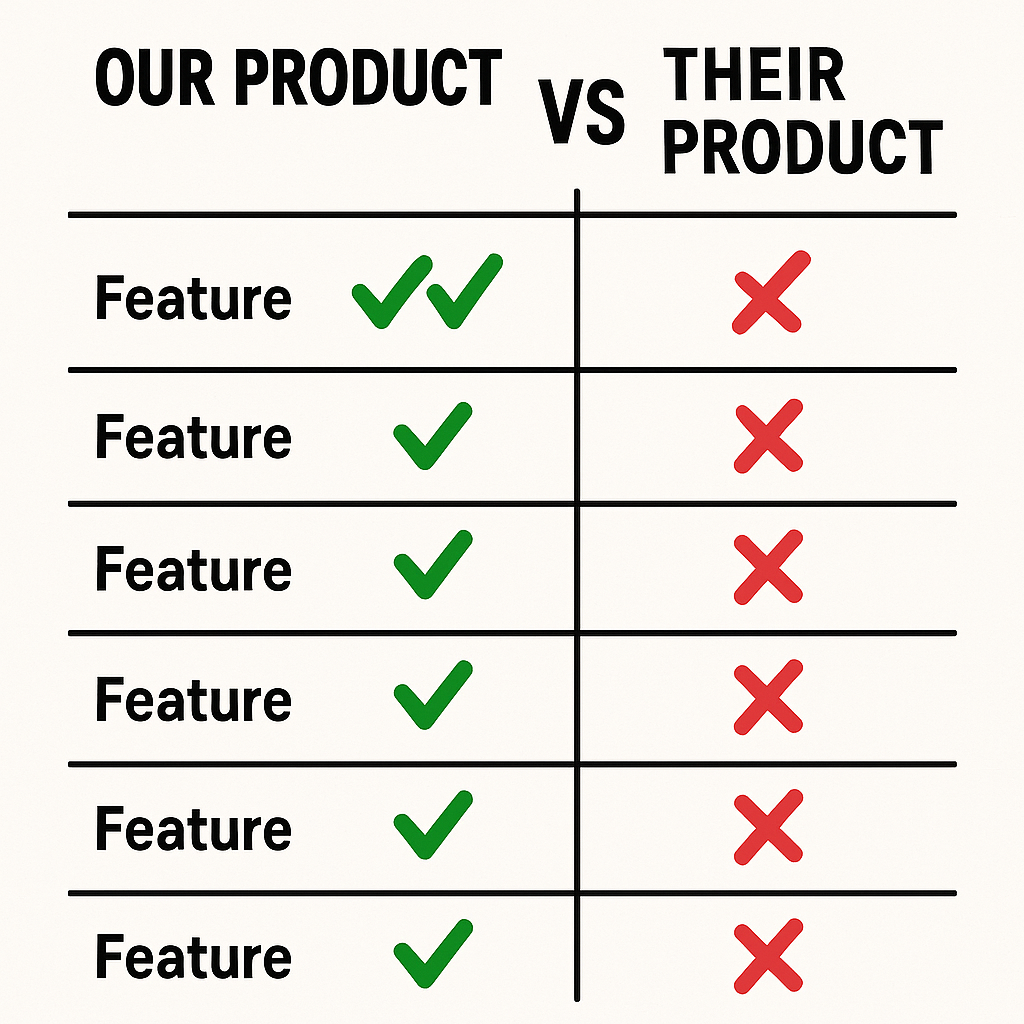
Recently, a competitor published a comparison chart that contains several inaccuracies. While I generally do not respond to competitor marketing, in this case I believe it is appropriate to address the factual errors presented. I have worked with many products in this industry, including those of competitors, and my approach has always been to let educators determine which tools best serve their students. In professional settings, I avoid making negative statements about other companies, as the most effective evaluation comes from teachers trying products directly in their classrooms. Our focus at MusicFirsthas consistently been on providing high-quality solutions at affordable prices. A link to this chart was shared with me yesterday, and I would like to provide clarification regarding the inaccuracies it contains. Although the chart appears clear and authoritative at first glance, it employs a typical comparison chart strategy: highlighting features of limited significance while overlooking notable gaps. The headline above the chart claims that they have “more music education-enhancing tools than any other platform”. At last count there are 15 different software titles available - with 6 of them included with the MusicFirst Performance Bundle.
Moises Introduces AI Studio. It’s Awesome.
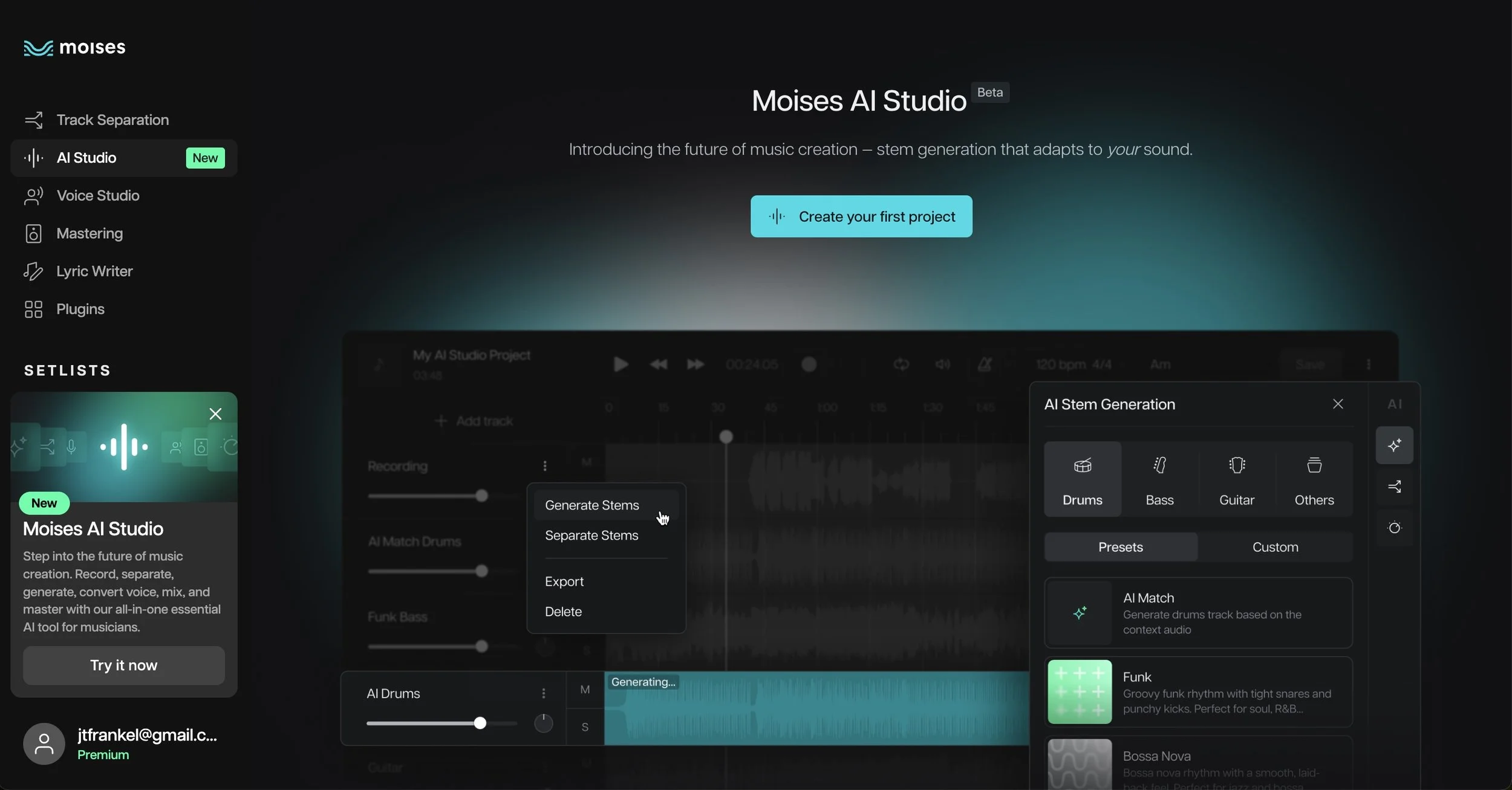
If you’ve read my blog or heard me speak about AI in music education, you probably already know that I am a HUGE fan of Moises.ai. It is a perfect tool for music educators, musicians, and students to go inside any music recording - separating tracks, adjusting tempo and key, finding the chords and lyrics of the song, and much, much more. I always demonstrate the technology behind Moises when I meet with music educators. They recently announced an incredible new instance of their technology called Moises AI Studio, and it’s awesome. Here’s what it does, and why you should definitely check it out. I think it can greatly enhance the songwriting process, and jumpstart any creative music making endeavor.
MusicFirst & Sweetwater: A Perfect Way for Students to Get Started Learning an Instrument
We are very proud to announce a new partnership with our good friends over at Sweetwater to provide free access to our world-class resources to all students who rent instruments through their incredible rental program for schools. Alongside other online music education platforms including MusicProfessor and Forte, MusicFirst is offering free access to a unique set of resources, curated by our team of music educators, to help students get started on the journey of learning a new instrument. Here’s how it works:
NAfME Releases Guidance for AI in Music Education
Over the past year, I had the distinct honor of serving on the NAfME AI Task Force along with a stellar group of fellow music educators. Our charge was to help provide clear guidance on the what, why and how of Generative Artificial Intelligence in music education. We met several times as a group and then we all contributed to the final document that can be downloaded HERE. That document is titled Guiding Principles, Frameworks, and Applications for AI in Music Education and it was released today (July 29, 2025). This document offers a comprehensive roadmap for music educators navigating the rise of AI in the classroom. It outlines ethical, instructional, and practical considerations for AI integration. Organized into sections including "Create," "Perform," "Respond," "Assess," and "Productivity," it emphasizes both the promise and perils of AI use in music education.
What Does the USDoE Guidance on AI Actually Mean?
This past Tuesday, July 22nd, the U.S. Department of Education released new guidance encouraging the use of artificial intelligence (AI) in schools, along with a proposed supplemental grant-making priority to advance AI in education. I was encouraged to see the Department of Education do anything positive, as we all know that the current state of affairs there is anything but. But what does this new guidance say, and what does it actually mean? Obviously you cannot ignore the political implications that this guidance may have. As music educators preparing for the upcoming school year, this announcement is worth paying close attention to—not just for what it says about AI, but for what it might signal about the broader direction of federal education policy.

Something Great Is Coming!
Later this afternoon, MusicFirst will be launching the second iteration of our amazing MusicFirst Assistant - a powerful feature that harnesses the power of AI to help teachers create Tasks, Lesson Plans, Assessments, and Rubrics inside of the MusicFirst Classroom. In my opinion, THIS is an ideal way for music teachers to use AI tools in their instruction. The previous version of the MusicFirst Assistant only allowed you to generate lesson plans, but our new version (being released around 2pm ET today) will take our original idea to the next level. This is an OPTIONAL feature as we know that some areas of the country are not necessarily thrilled with the idea of using AI in schools, but if enabled, it can drastically cut down on your workload within the MusicFirst Classroom. Here’s what to expect when this is launched:
Resource: Elementary Music Summit
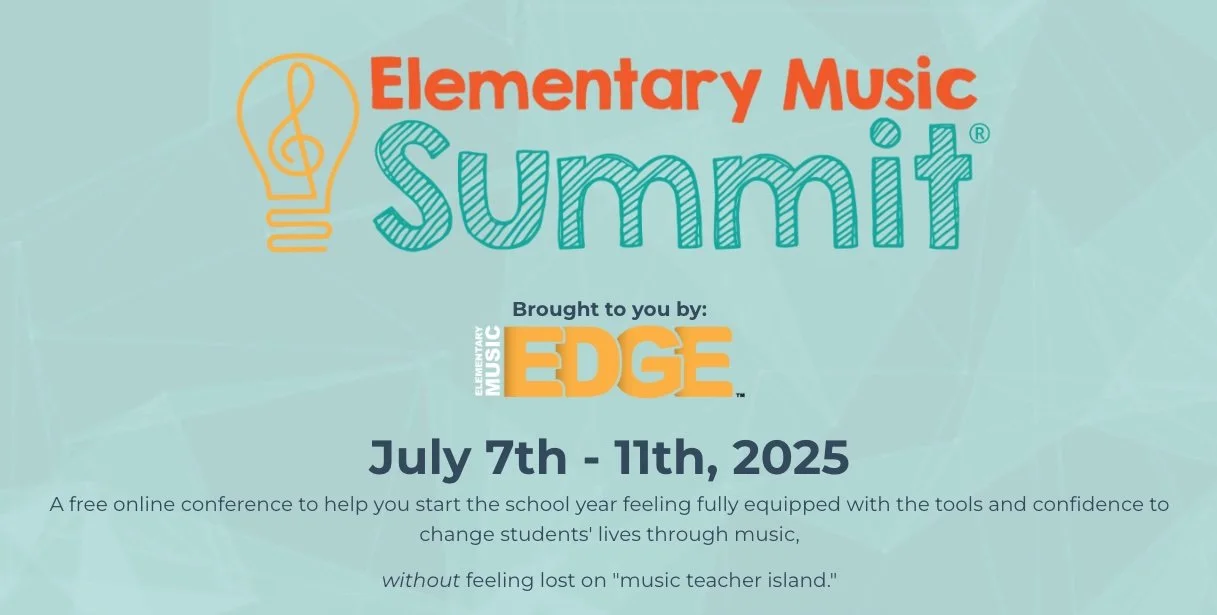
Every summer, I look forward to events that bring music educators together—opportunities where we can share ideas, spark creativity, and re-energize for the coming school year. Over the past few summers, I’ve traveled around the country on behalf of MusicFirst presenting at a wide variety of in-person conferences, but this year there is an online event for elementary music educators that has really stood out - the Elementary Music Summit hosted by Bryson Tarbet (aka That Music Teacher). It’s a completely online, free conference designed just for elementary music educators, and this year’s lineup is nothing short of inspiring. MusicFirst is a VERY proud sponsor of the event, and we have a fantastic session planned that focuses on our amazing offering for elementary music teachers. Melanie Alexander, Mary Birkner, and Amy Burns are teaming up to present a session titled Sing, Move, Play, and Create with MusicFirst Elementary on July 9th at 1:30 PM EST . If you’re not familiar with MusicFirst Elementary yet, this is the perfect opportunity to dive in.
Should We Be Worried About The Velvet Sundown? Maybe.
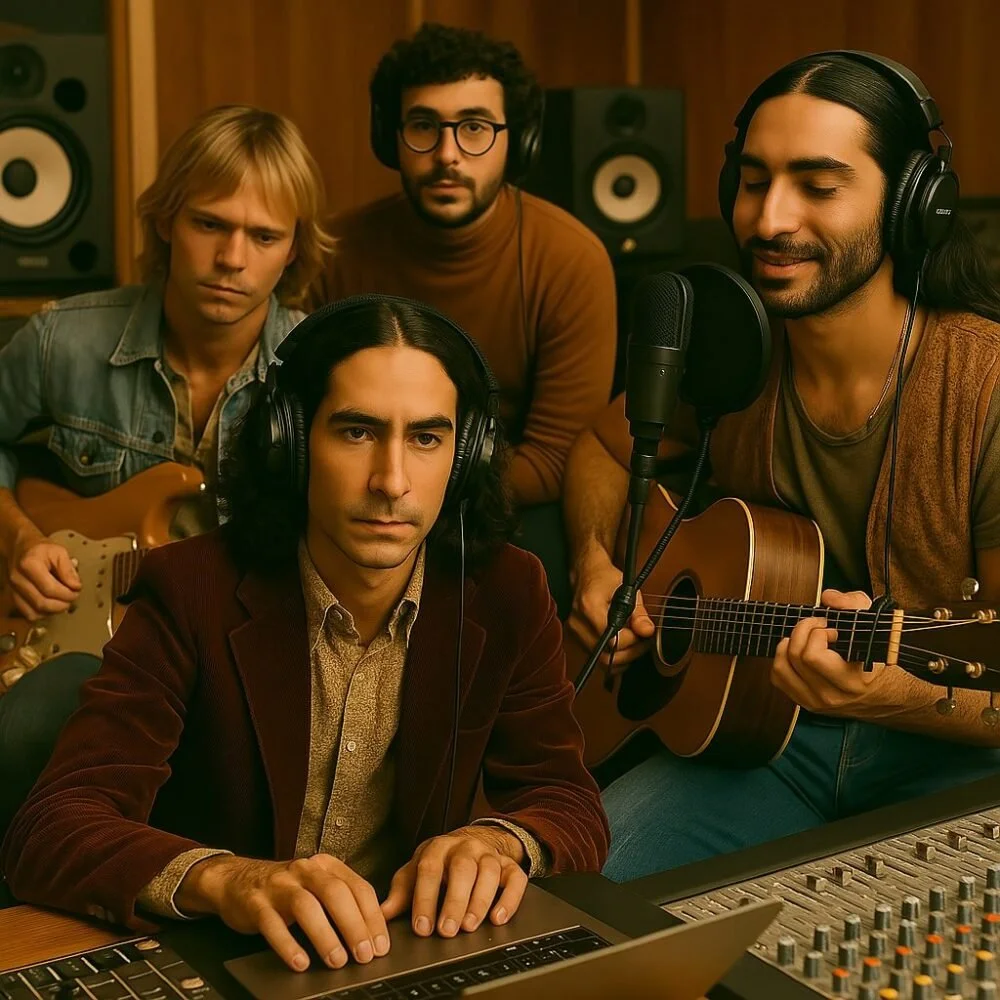
I’ve been giving keynote addresses and workshops all around the world over the past two years about the impact of Generative AI (GAI) on music and music education. Aside from sharing many GAI tools that can be used in music education, the main theme that I emphasize is that music educators are in control of how these tools can or should be used in their teaching. If you don’t like AI at all, don’t use it. If you’re worried about students becoming lazy and using AI to do all of their homework, it’s probably a little too late for that. If you wish you could just “teach music” and not get bogged down with all of the related administrivia, use AI tools to do the tasks you don’t want to do (or don’t have time to do). I recently watched the video above from one of my favorite YouTubers - Rick Beato. It features a band on Spotify named The Velvet Sundown, a trippy band with over 500K monthly listeners. The problem with this band is that they don’t really exist. They are undoubtedly completely generated by AI - everything from their profile, to their pictures, to their music. This is EXACTLY what teachers and musicians have been worried about when I ask them what about AI scares them. It’s here.
Resource: Classics For Kids
Elementary music teachers are always on the lookout for resources that are meaningful, easy to use, and one that actually works with students. Classics for Kids is one of the online resources that checks all the boxes. The site was created as an outreach project from Cincinnati’s public radio station 90.9 WGUC, the site introduces elementary-aged students to the world of classical music in a way that’s approachable, interactive, and completely free. Classics for Kids feels like it was made by music teachers, for music teachers. It includes lesson plans that are structured to align with NAfME standards, which makes it incredibly easy to plug them directly into your curriculum without a lot of extra prep. You’ll find everything from composer profiles, lesson plans, games and listening activities to worksheets and follow-up questions that are all designed to keep students engaged while meeting your instructional goals.
Resource: BBC Sound Effects
I was reminded today by dear friend and colleague, Robin Hodson, about the incredible online audio archive that was created by the BBC. It is a PERFECT resource for music educators and their students. Why? Sometimes the right sound effect can completely transform a student project. Whether it's the crash of thunder in a suspenseful podcast, the rattle of a train in a short film, or the bubbling of a rainforest in an electronic composition, sound effects breathe life into creative work - like podcasts or film scores. Let me introduce you to the BBC Sound Effects Archive. If you haven’t visited https://sound-effects.bbcrewind.co.uk/ yet, you should. This incredible site offers access to over 33,000 sound effects from the BBC’s legendary archive—and yes, they’re FREE to use for educational and personal, non-commercial projects. It’s an incredible collection of audio clips for anyone interested in music production, media composition, or storytelling.
Tool: SlapTrack
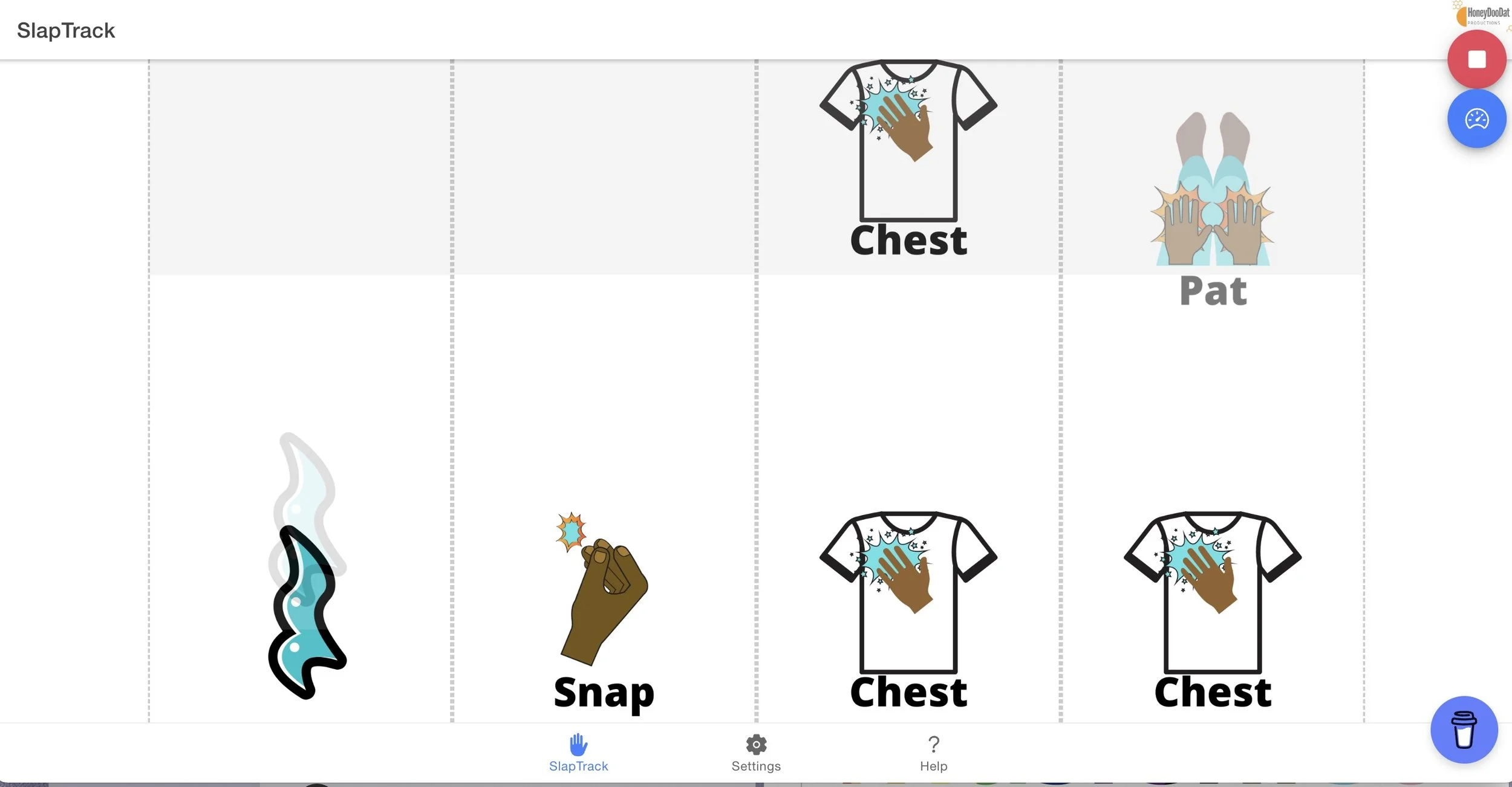
Sometimes, really simple tech tools are really good, and when they’re FREE, they’re even better. I just found a wonderful FREE tool for elementary music educators called Slap Track and all it does is create play-a-long graphics for body percussion. That’s it. There are nine different icons that when you press the play button, will start bubbling up from the bottom of the screen while synced to a metronome. When each icon hits the top of the screen, the students are meant to “do” whatever the icon says. Super simple.

Choosing the Correct Audio Cable
If you’ve ever stood in front of a tangled pile of audio cables wondering which one to grab, you’re not alone. For music educators and students alike, understanding the types of audio cables—and when to use each—is essential for getting clean, clear sound in any setup, whether it’s a classroom DAW project, a live performance, or a recording session. Audio cables all look pretty similar, but there are important differences that dictate how and when to use them. Let’s break down some of the most common types of audio cables, including mono vs. stereo, TRS vs. TS, RCA cables, and when balanced vs. unbalanced cables matter.